
Woocommerce webshop
After registering, you can follow these steps to connect your WooCommerce shop to Droppery:
Start from your WooCommerce dashboard
- Head to your settings
- In the newly appeared submenu, click on “WooCommerce »
- At the top of the page, navigate to the “Advance »
- In the subheader, click “REST API » and check the box “Enable Legacy REST API »
- Now click on the subheader “API REST » then on “Add a key»
- Enter a description, “Droppery » is the most logical. Select a user with administrator access and under Permissions, select “Read and Write »
- Click on " Generate an API key» and leave this page open.
Now go to platform.droppery.io and log in with your login details
- On the left of the screen, click “Settings ". Double-check that all fields marked with “* » are correctly completed and that the “ Type of online store » is set to WooCommerce.
- Below "Basic information », go to the tab “API credentials».
-
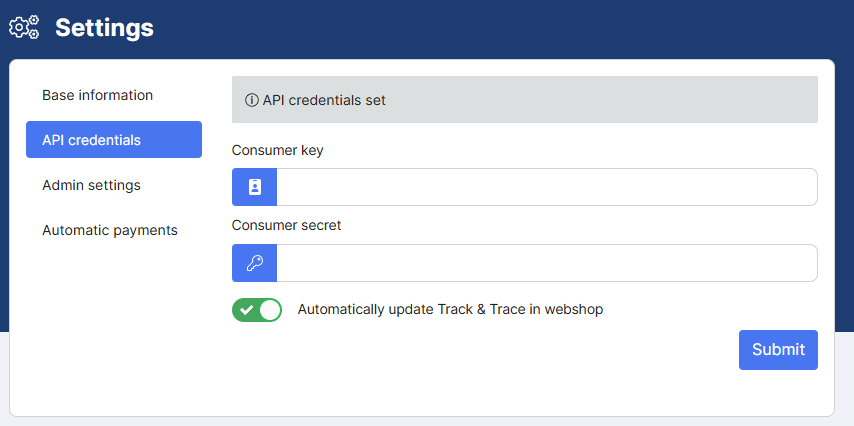
- Copy and paste the consumer key from your WooCommerce page into the “Consumer key» by Droppery. Repeat this operation with the “Consumer secret ».
- Finish the installation by clicking on “Submit »
You can now use Droppery and all the features involved.